Steps to Use the GUI Tool#
Execute the Python vss_gui.py script.
Signal Selection#
Provide the path for .vspec files
scripts\vss\vspecthrough the Browse Folder button.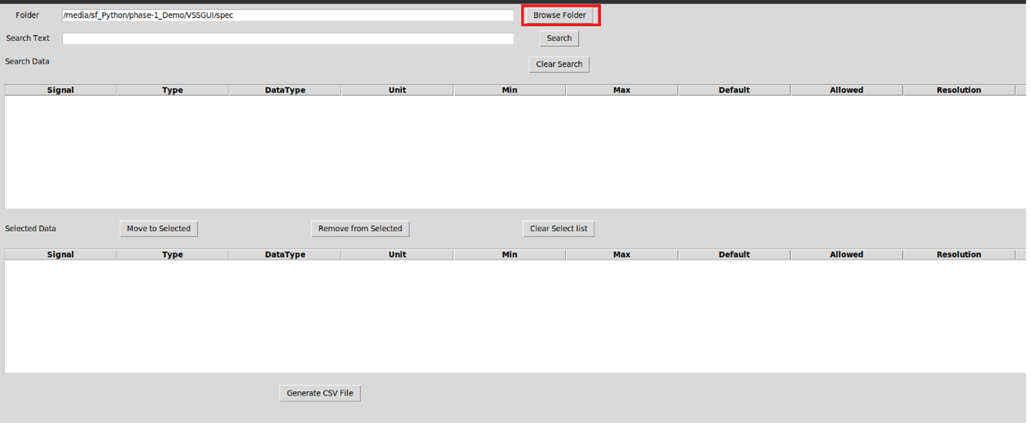
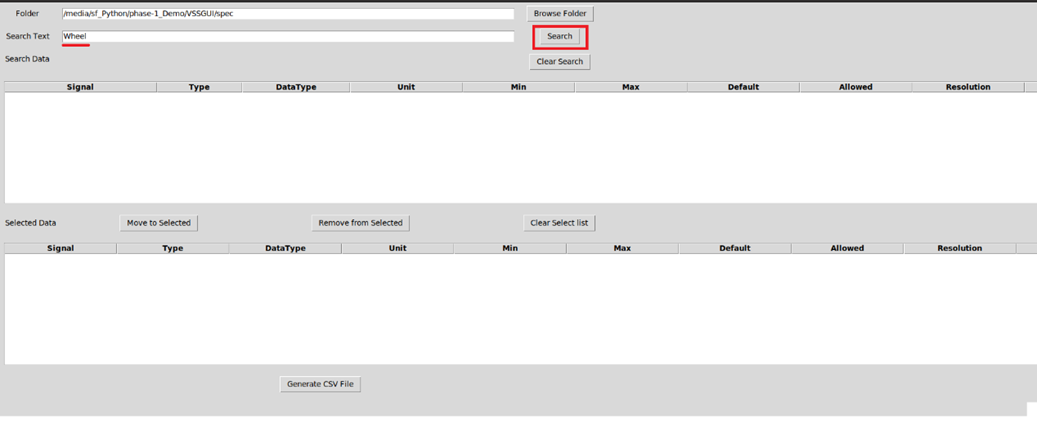
Search for the required signal in Search button.
List of all signals that match the search criteria are listed in the Search Data pane along with the respective attributes.
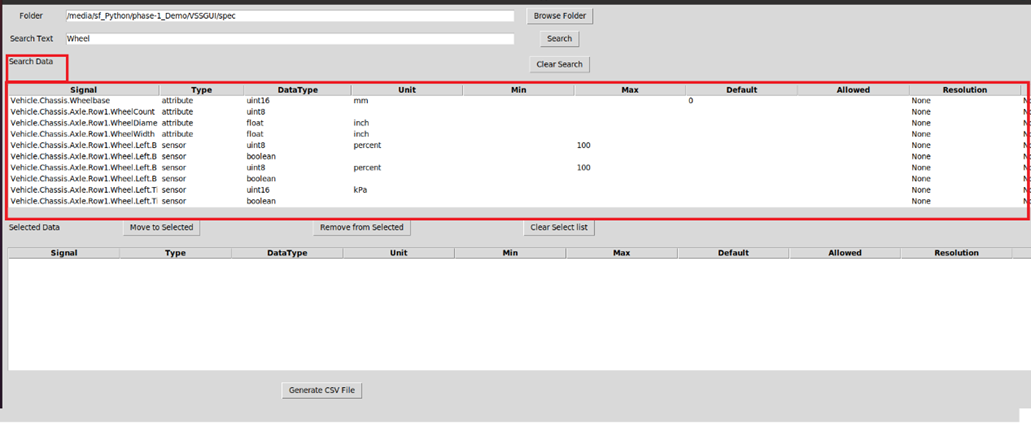
Select the required signals and move them to Selected Data pane by clicking the Move to Selected button.
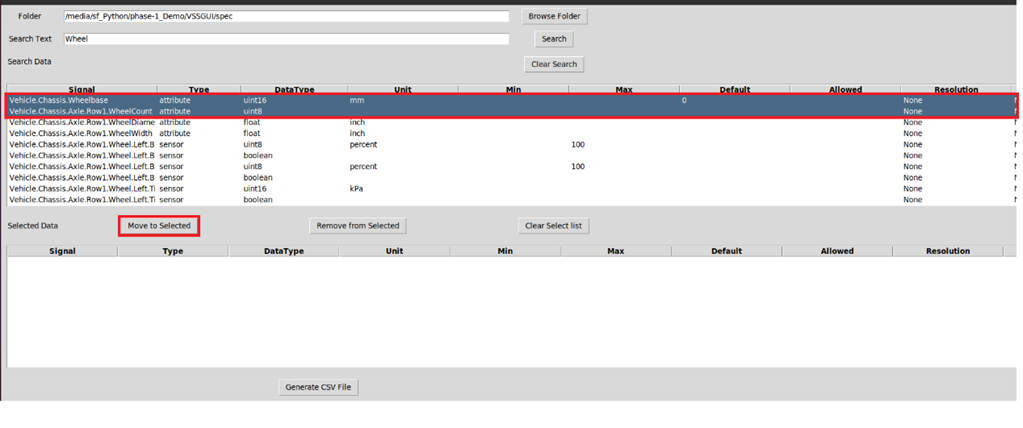
Similarly select the other required signals for the application and generate the .csv file by clicking the Generate CSV File button.
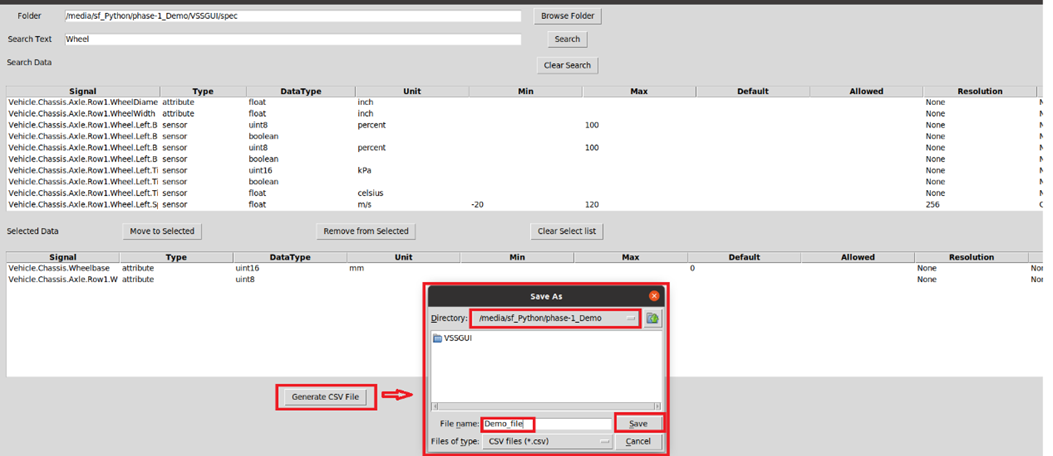
Signal Creation#
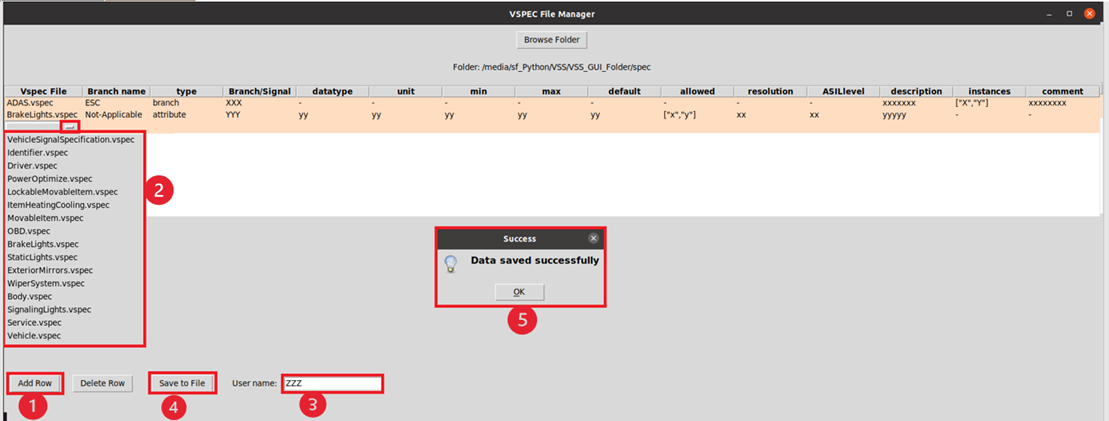
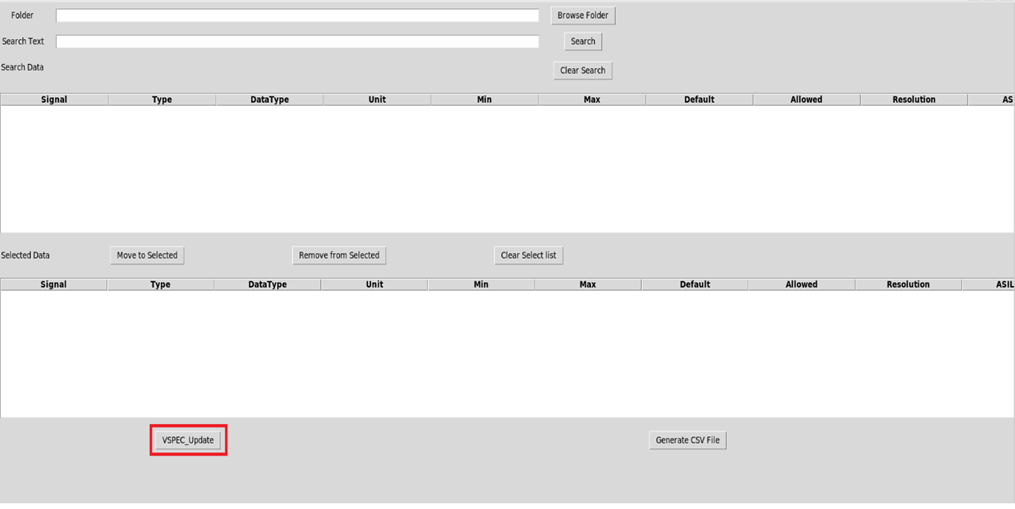
To create a new signal, select the VSPEC_Update button.
VSPEC File Manager window will be opened and select the spec folder path to be updated using the Browse Folder button.
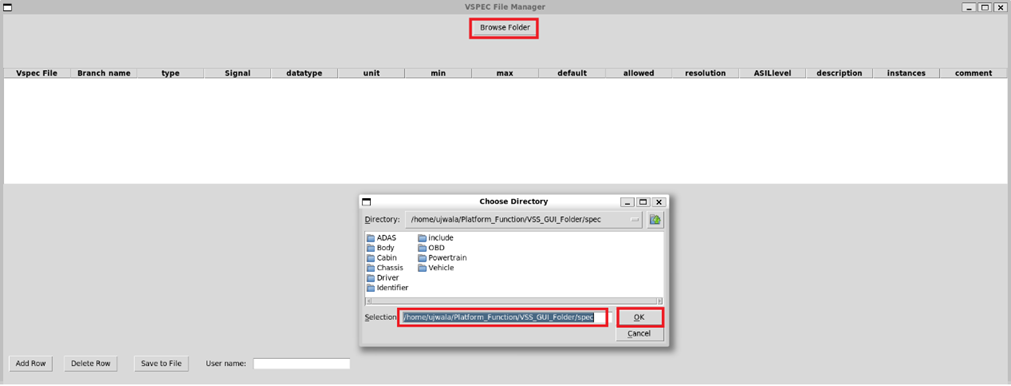
Add signal/branch by selecting the Add Row button. It is necessary to select branch, type, and the relevant attributes of the signal. Provide also the username to save the data into files.